Capture Hub
Capture the thought
Stay in the flow
Save useful files and web pages to the project too.
Leave a note while the thought is fresh,
then get back to what you were doing.

Obsidian / Local-first / Markdown
Bring an idea to life
The best way to connect your local notes with AI
Keep your ideas, files, and the thinking behind them together by project.
Save locally, build on what you know, and help AI understand your work.
Your ideas, resources, and progress,
all connected in Pnote.
Find what you need and pick up where you left off.
Get to know Pnote
It starts with a quick note.
Add to it as you go.
Your work and the thinking behind it are there when you come back.
Capture the thought
Stay in the flow
Save useful files and web pages to the project too.
Leave a note while the thought is fresh,
then get back to what you were doing.

Your projects
At a glance
Group your projects by the way you work.
Each project's files, tasks, and conversations stay together.
Find what you need without hunting through folders.

Revisit your work
Pick up the thread
Follow your project's notes, files, and conversations in one timeline.
See what happened and why,
so you know where to go next.

These interactive previews use sample data and the plugin's interface. They never read or write your vault.
1 / 3More than one way to work
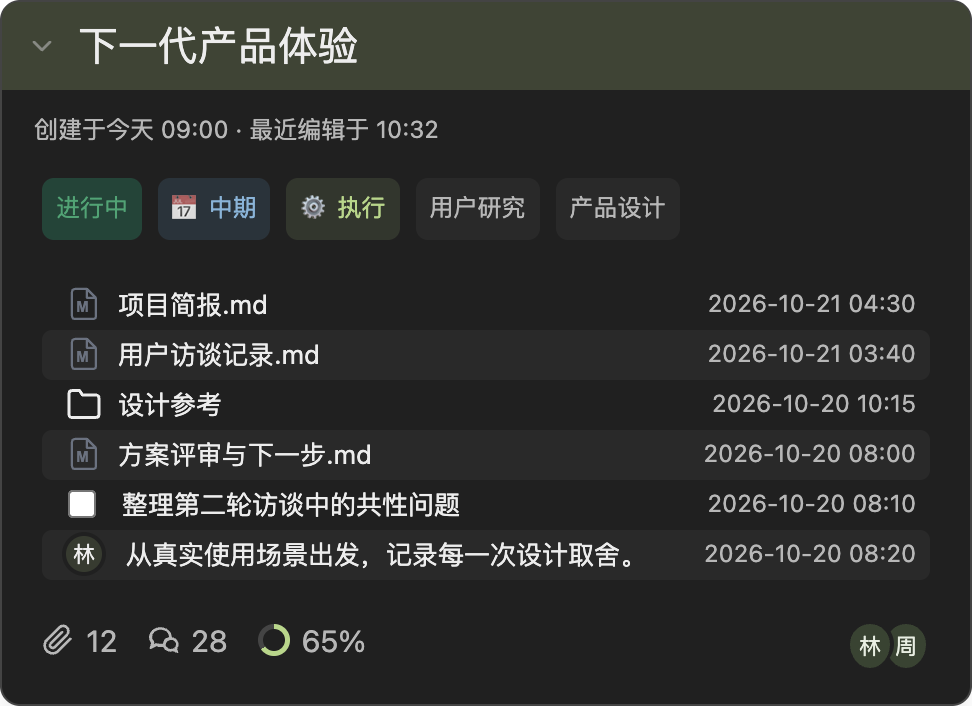
Keep user quotes, references, and design trade-offs in the same project. Pick up the next iteration with the reasons behind each decision already there.
From discovering user needs to making design decisions and testing the next iteration.
Keep it all in the project
Keep your goals, resources, and past decisions together,
so you don't have to brief AI from scratch every time.
Organize the context first,
then pass it to the AI tools you've set up and authorized.
This is an interactive demo. It doesn't call an AI model or upload files.
# Bring AI up to speed on your project project: Next-generation product experience context: ✓ Project brief.md ✓ User interview notes.md ✓ Design decisions.md # Select files to preview your project context.
No need to pay twice for AI
Pnote doesn't charge extra for AI usage.Connect the AI tools you've already set up and authorized. Keep your usual sign-in and use your existing subscription wherever the tool supports it.
Subscription support and usage limits depend on the tool and provider. Not every subscription works with every tool. Your provider may bill API usage separately.
Pnote organizes your local knowledge. Pnote Studio uses the same project context for terminal sessions and project Skills.
Projects and synced entries stay in your Obsidian vault as Markdown files. You can keep reading and editing them as your workflow changes.
No need to rebuild your workflow just to take notes. Group your projects and connect scattered files, bookmarks, and ideas to the work they belong to.
Organize your resources, then decide how to work with AI. If you use an external AI tool, that tool's permissions and privacy policy apply to how it processes your resources.
Pnote is an Obsidian plugin, not a separate cloud notebook. It adds project cards, a Capture Hub, and a timeline to your vault, so you can organize files and notes around projects.
Yes. Pnote lets you capture notes, manage groups and projects, organize resources, and use the project timeline without AI. AI is optional and works with the context you've already collected.
Your project content is saved locally. GitHub sync and external AI tools require an internet connection. If you use them, the relevant content is handled according to your connection settings, the tool's permissions, and the provider's policies. Local storage doesn't mean every feature works offline.
Pnote captures notes, organizes projects, and keeps their context together. Pnote Studio focuses on managing terminals and editing Skills for individual projects. Pnote works without Studio. If you use both, they share context through a limited integration, so you don't have to maintain the same information twice.
Your Markdown files, attachments, and saved resources stay in your vault. Pnote's card styling, code block rendering, and action buttons stop working, but uninstalling the plugin does not automatically delete your local content.
Start with one project,
or simply capture a thought.